See it in action
Click any screenshot to view full size
A native macOS menu bar app that tracks your keystrokes, typing speed, and productivity patterns. All data stays on your device.
One-time purchase · macOS 14+ · Lifetime updates
Click any screenshot to view full size
Simple, powerful, and completely private.
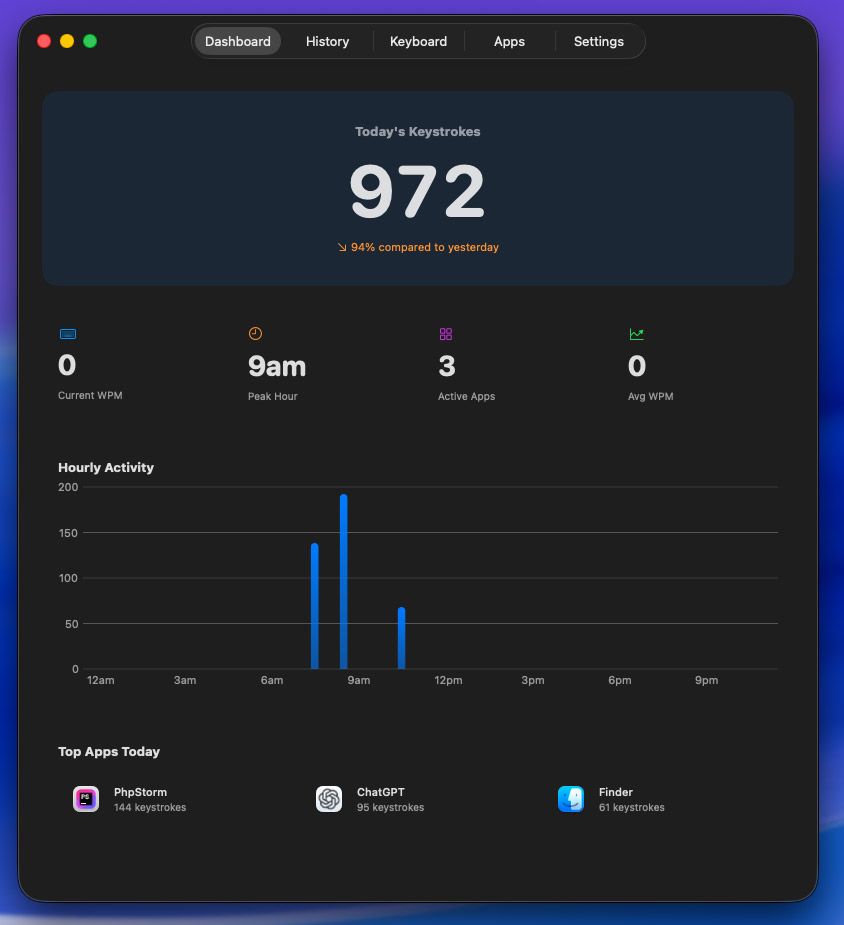
Live keystroke count in your menu bar with quick stats and sparkline charts.
Track WPM, see peak speeds, and identify your most productive hours.
See which apps you type in most. Exclude sensitive apps from tracking.
All data stays on your Mac. No cloud, no analytics, no network requests.
Beautiful charts and insights to understand your productivity.
24-hour breakdown of your typing activity.
Visual map of your most-used keys.
GitHub-style contribution grid for weeks or months.
Exclude password managers or sensitive apps.
Download your stats as CSV anytime.
Pause and resume with one click.
Remove all data with one click.
One-time purchase. No subscriptions. Pay once, use forever.
one-time purchase
License key delivered via email · Secure payment via Stripe
No. KeyboardCount only counts key presses — it never records or stores what you type. Your content remains completely private.
No. All data stays on your Mac. KeyboardCount makes zero network requests. There's no cloud sync, no analytics, no telemetry.
The Mac App Store requires apps to be sandboxed, which prevents system-wide keyboard monitoring. KeyboardCount needs this capability to count keystrokes across all applications.
Yes. In Settings, you can exclude any application from tracking. Great for password managers or other sensitive apps.